| Booking Wizard |
|
Intelligent booking:-
The new booking wizard is always just a click away ...
The wizard will guide you through the process of making a new booking in three simple
stages:-

|
Select or create a new child
|

|
Specify requested start date and optional end date. The room occupancy display will
give an instant view of the childs room allocation during the booking period.
|
|
|

|
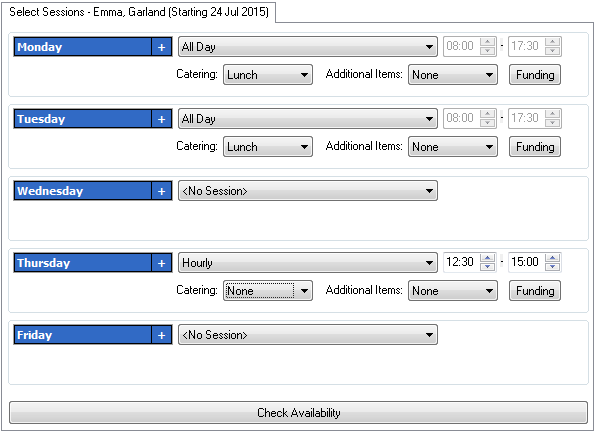
Specify requested session(s)
|
 |
|
KinderSoft will indicate sessions that exceed your population limits and
give you the option of automatically creating a waiting list item. |
Diary entries will automatically be made for new bookings along with entries for
start/leave and room movement dates. In the case of new children an entry will be
made for their birthday.
At any point during the creation or amendment of bookings an instant graphical view
of population levels for each room is available.
|
|